In the captivating world of web design, visuals often steal the show. Dazzling graphics, trendy fonts, and a sleek layout can undeniably grab a user’s attention. But a website’s true success hinges on something deeper – its ability to cater to a diverse range of users and provide a seamless, frustration-free experience. This is where accessibility and user experience (UX) come into play.
Moving Beyond the Surface: The Importance of Accessibility
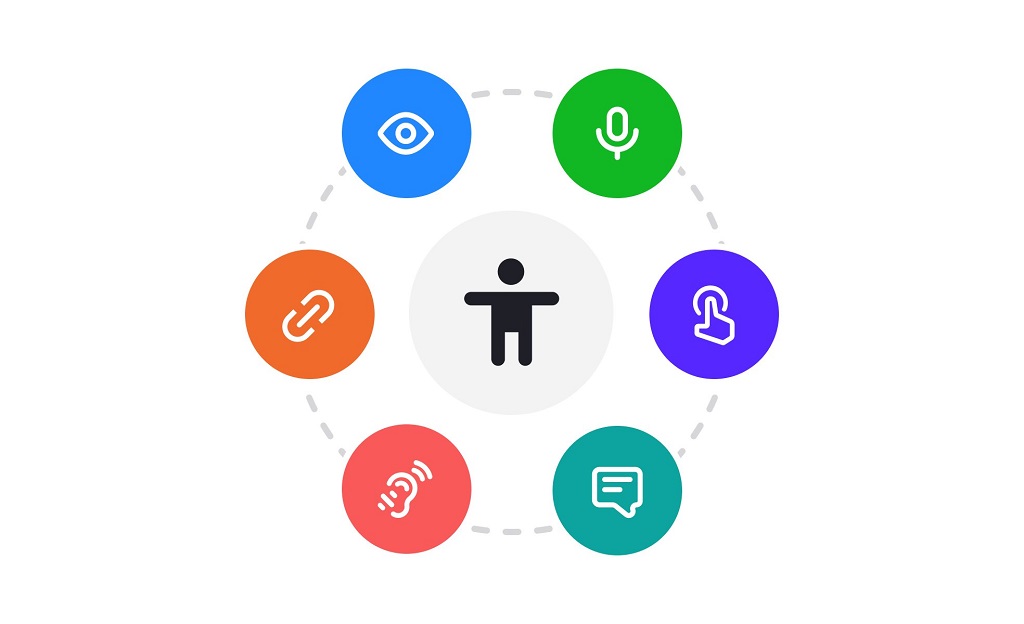
Imagine a vibrant museum brimming with exhibits, yet lacking ramps or elevators. This is the barrier many users with disabilities face when encountering websites that prioritize aesthetics over accessibility. Accessibility ensures everyone, regardless of ability, can perceive, understand, navigate, and interact with a website. It’s not just about ticking a box; it’s about creating an inclusive digital space that fosters equality and opportunity.
There’s a strong ethical argument for accessible design. Everyone deserves equal access to information and the benefits the internet offers. However, there’s also a practical side. By following accessibility guidelines, you tap into a wider audience, potentially increasing your website’s reach and user engagement.
Here’s a glimpse into the benefits of accessible design:
- Expands your audience: A website that caters to users with visual, auditory, motor, or cognitive disabilities opens doors to a vast, often overlooked, user base.
- Improves SEO: Search engines favor websites that adhere to accessibility standards, potentially boosting your website’s ranking.
- Reduces legal risk: Accessibility regulations are becoming increasingly common, and non-compliance can lead to legal repercussions.
- Enhances brand image: Prioritizing accessibility demonstrates your commitment to inclusivity and social responsibility, fostering trust and brand loyalty.
The Pillars of Accessible Design:
Building accessible websites involves incorporating various elements, but here are some fundamental considerations:
- Clear and concise content: Write in a clear, easy-to-understand manner, using simple language and avoiding jargon.
- Meaningful structure: Organize content logically using headings, subheadings, and bullet points to create a clear hierarchy.
- Alternative text (alt text): Describe all non-text content, including images, with concise alt text that conveys the image’s meaning.
- Keyboard navigation: Ensure users can navigate your website solely using a keyboard, especially for those who rely on screen readers.
- Color contrast: Use sufficient color contrast between text and background to ensure readability for users with visual impairments.
- Responsive design: Your website should adapt seamlessly to different screen sizes and devices, catering to users with varying needs and preferences.
The Art of User Experience: Creating a Delightful Journey
Accessibility is the foundation, but a truly successful website goes beyond just being usable. User experience (UX) focuses on crafting an enjoyable and intuitive experience that keeps users engaged and coming back for more.
Here are some key principles to consider for optimal UX:
- Intuitive navigation: Your website’s navigation should be clear and logical, allowing users to find what they need effortlessly.
- Clear calls to action: Tell users what you want them to do with prominent, easy-to-understand calls to action.
- Fast loading times: Nobody enjoys waiting for a website to load. Optimize page speed for a smooth and frustration-free experience.
- Mobile-first approach: With the ever-increasing use of mobile devices, prioritize a mobile-friendly design that looks and functions flawlessly on smaller screens.
- User testing: Gather feedback from real users through testing to identify pain points and refine your website based on their needs.
Striking the Right Balance: Aesthetics with Purpose
Aesthetics do play a role in user experience. An attractive and visually appealing website can be engaging and create a positive first impression. However, the focus should be on aesthetics that serve a purpose, not just visual gratification. Here’s how to strike the right balance:
- Visually appealing doesn’t have to mean complex: Opt for clean layouts, clear typography, and a cohesive color scheme to create a visually pleasing yet easy-to-navigate experience.
- Use visuals strategically: Images and videos can enhance the user experience, but ensure they are optimized for accessibility with proper alt text descriptions.
- Maintain consistency: Maintain a consistent design language throughout your website to create a sense of familiarity and ease of use.
Beyond the Basics: Tools and Resources
The good news is there are plenty of resources available to help you design accessible and user-friendly websites. Here are a few to get you started:
- Web Content Accessibility Guidelines (WCAG): Developed by the World Wide Web Consortium (W3C), WCAG provides a set of internationally recognized guidelines for web accessibility.
- Accessibility checkers: Several online tools can analyze your website and identify potential accessibility issues. These tools are a great starting point, but remember, they don’t replace manual testing and user feedback.
- User testing platforms: Platforms like UserTesting.com and Lookback.io allow you to recruit real users to test your website and provide valuable feedback on their experience.

Building an Inclusive Future: The Road Ahead
Designing for accessibility and user experience is an ongoing process. Technology is constantly evolving, and user needs are diverse. Here are some tips for staying ahead of the curve:
- Stay informed: Keep yourself updated on the latest accessibility guidelines and best practices.
- Embrace a user-centric approach: Constantly gather user feedback and iterate on your website based on their needs.
- Invest in accessibility tools: Consider incorporating accessibility testing tools into your development workflow.
- Promote accessibility awareness: Advocate for the importance of accessibility within your organization and the wider web design community.
By prioritizing accessibility and UX, you’re not just creating websites; you’re crafting inclusive digital experiences that empower everyone to participate in the online world. This not only benefits users but also broadens your reach, strengthens your brand image, and contributes to a more equitable and accessible internet for all.
Related: The Best Platforms to Learn Web Design
In Conclusion:
While aesthetics capture attention initially, a website’s true success lies in its ability to cater to a diverse audience and provide a seamless, enjoyable experience. By embracing accessibility and user experience principles, you can create websites that are not just beautiful but also inclusive, functional, and engaging – a winning combination in today’s digital landscape.